
Sites and availability
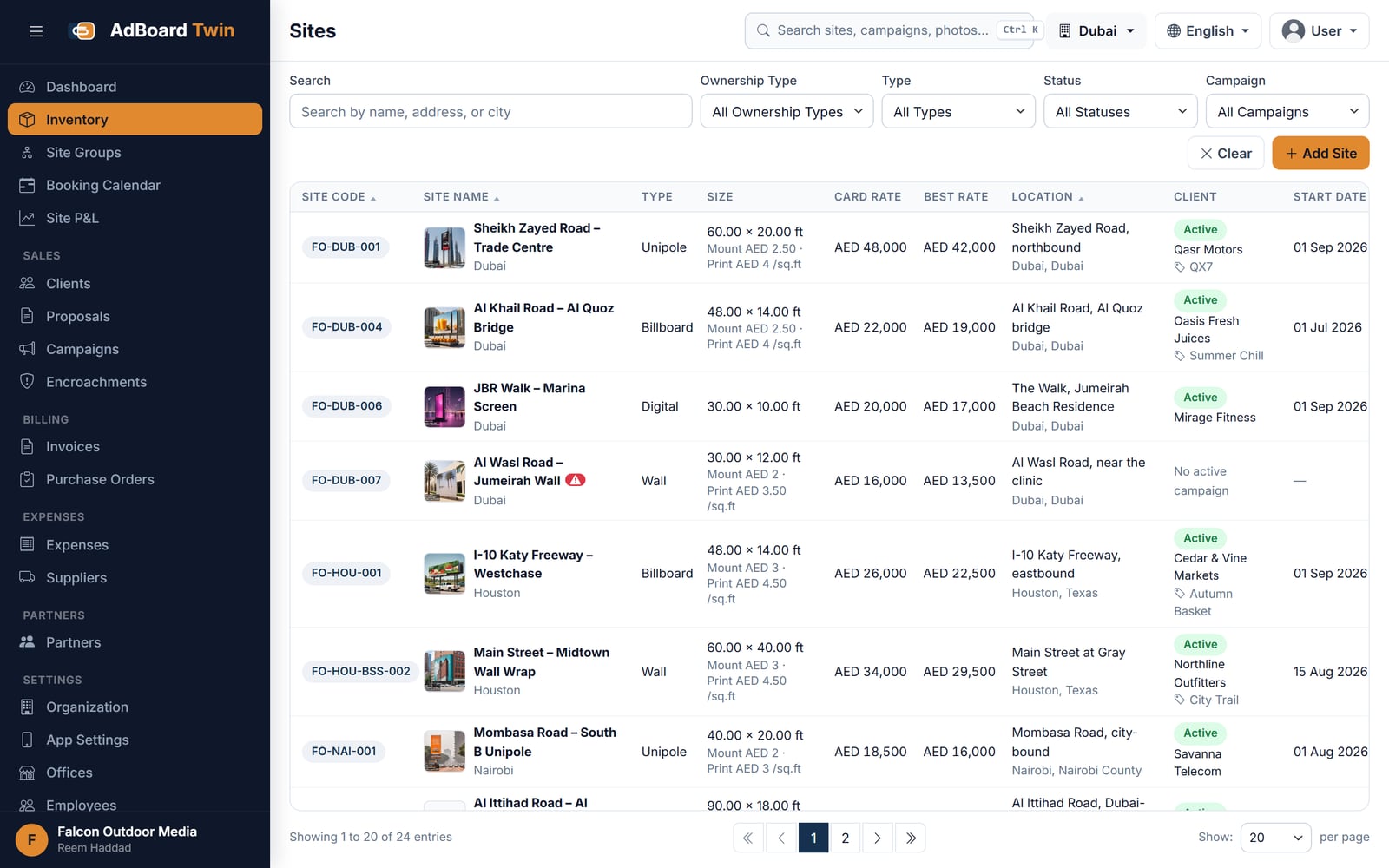
Billboards, unipoles, gantries and digital screens across any number of cities, each with size, lighting, location, photographs and rate card. Availability is calculated from live bookings rather than maintained by hand.
Sazinga Sarva · Operations
Every site, every booking, every invoice — in one place
Out-of-home media owners and operators who own or lease advertising structures
The demo runs on a sample company, not on your data. It asks for a name and an email and sends a sign-in code to that address.
Already using AdBoard? Sign in
In production — Nine installations — four in the Gulf, three in the USA and two in Africa — some of them running under a partner's own brand (September 2026).

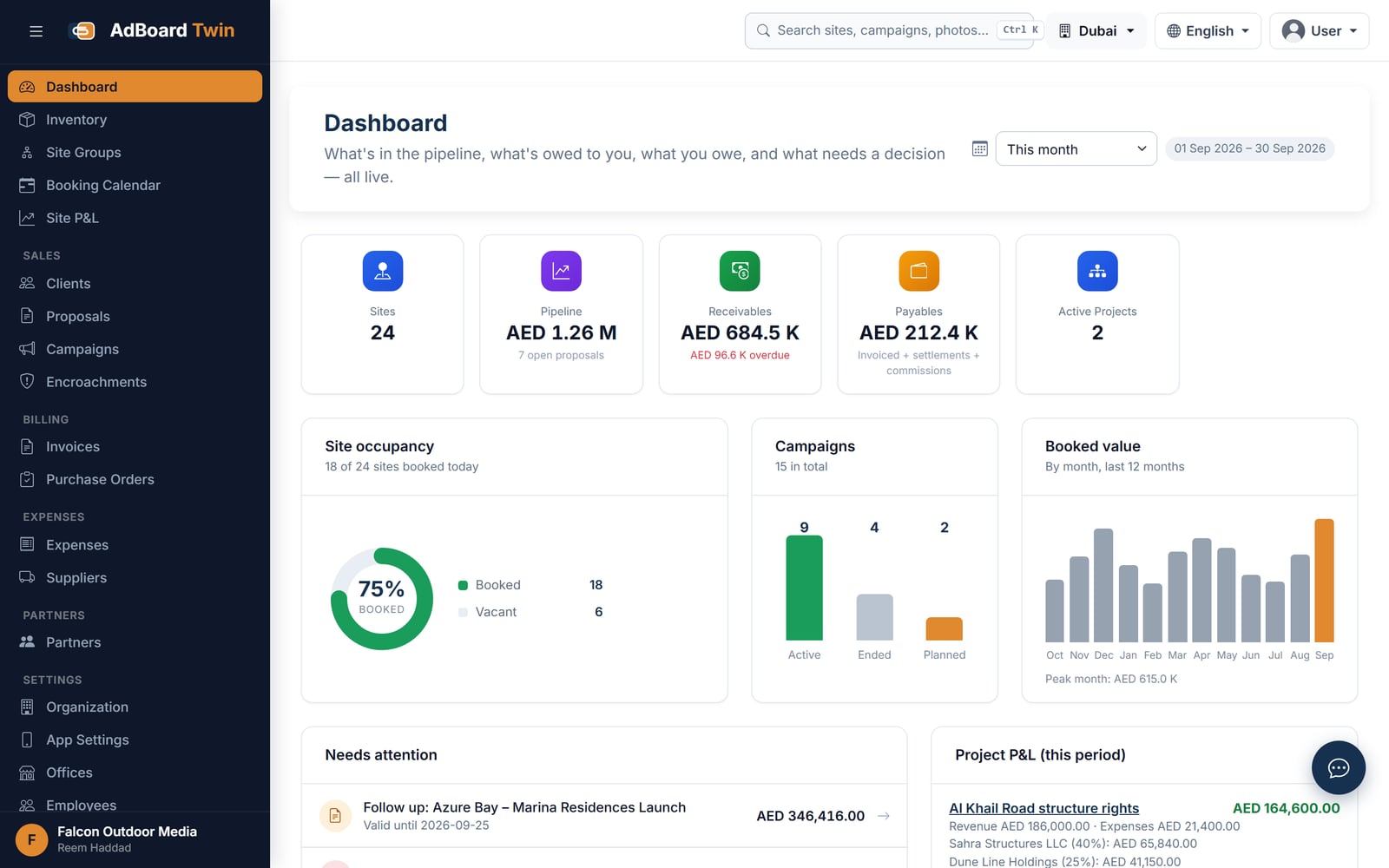
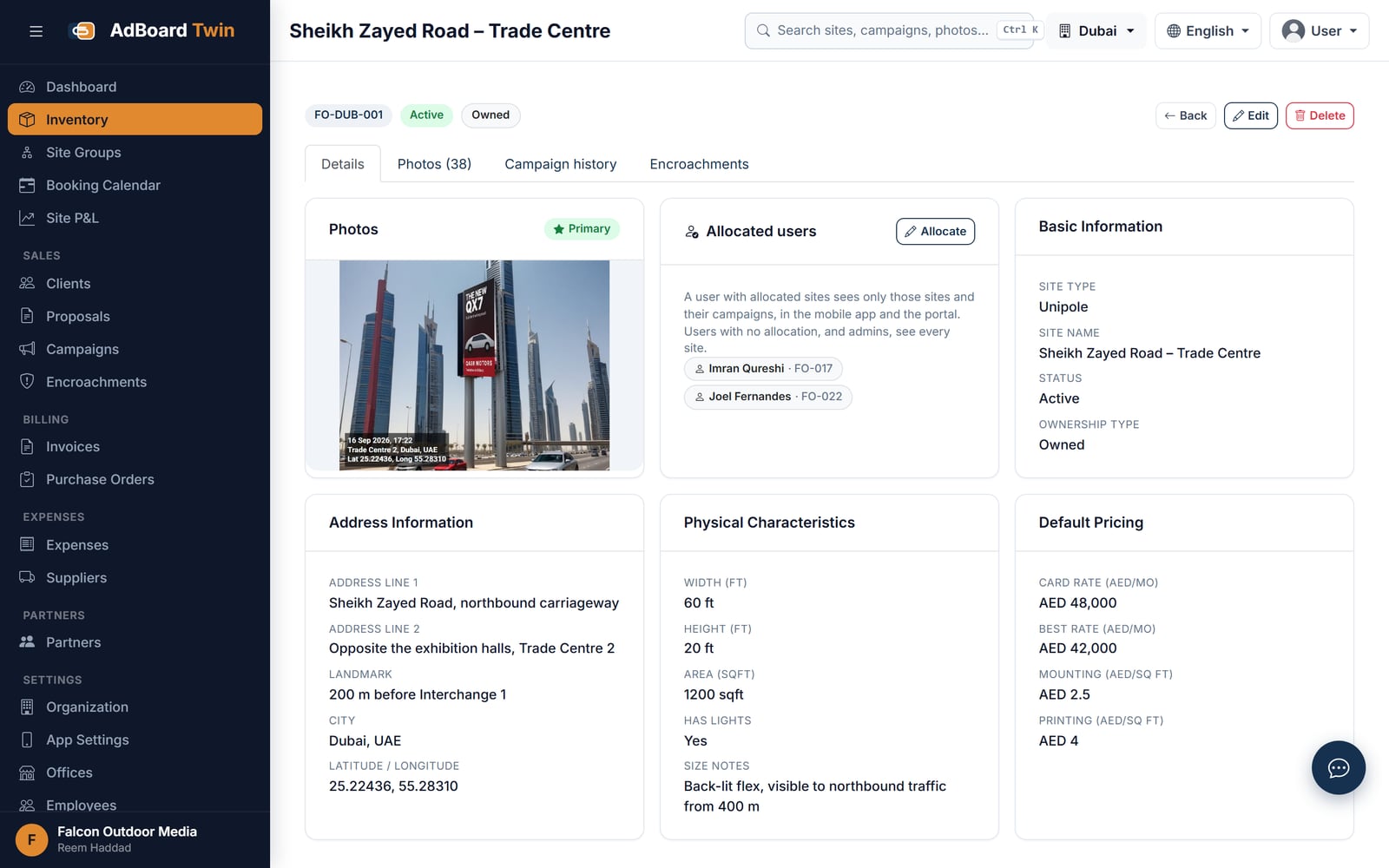
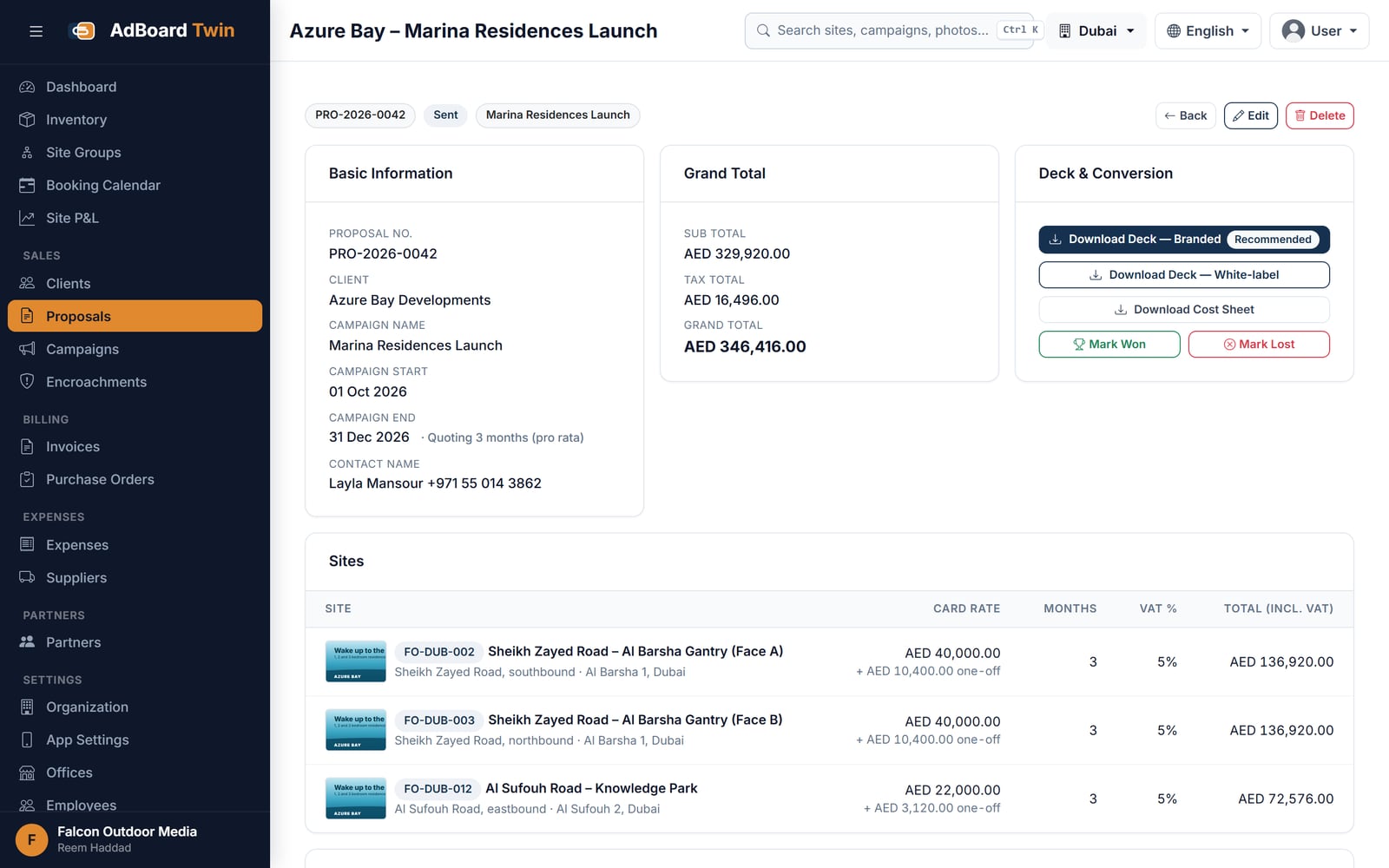
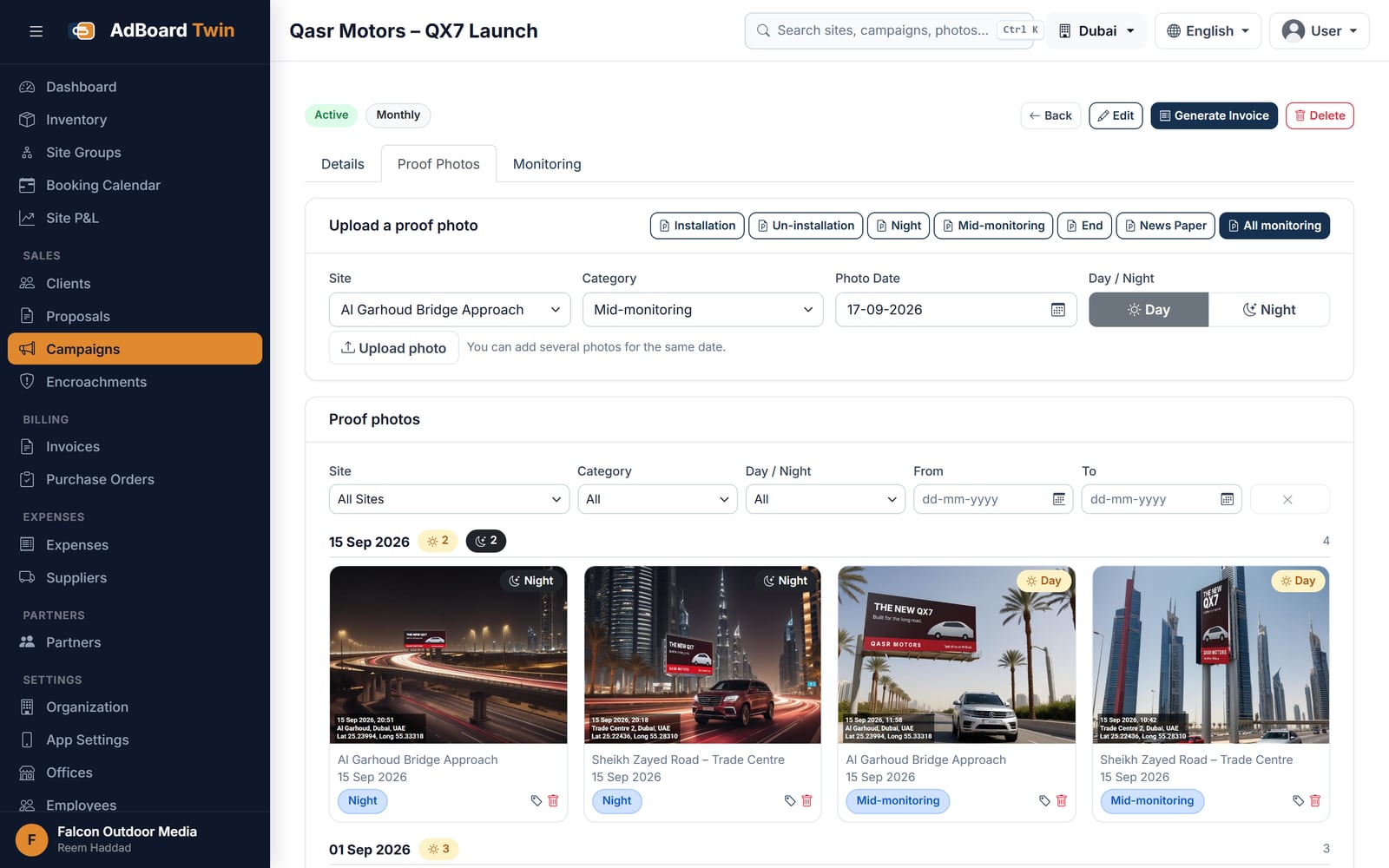
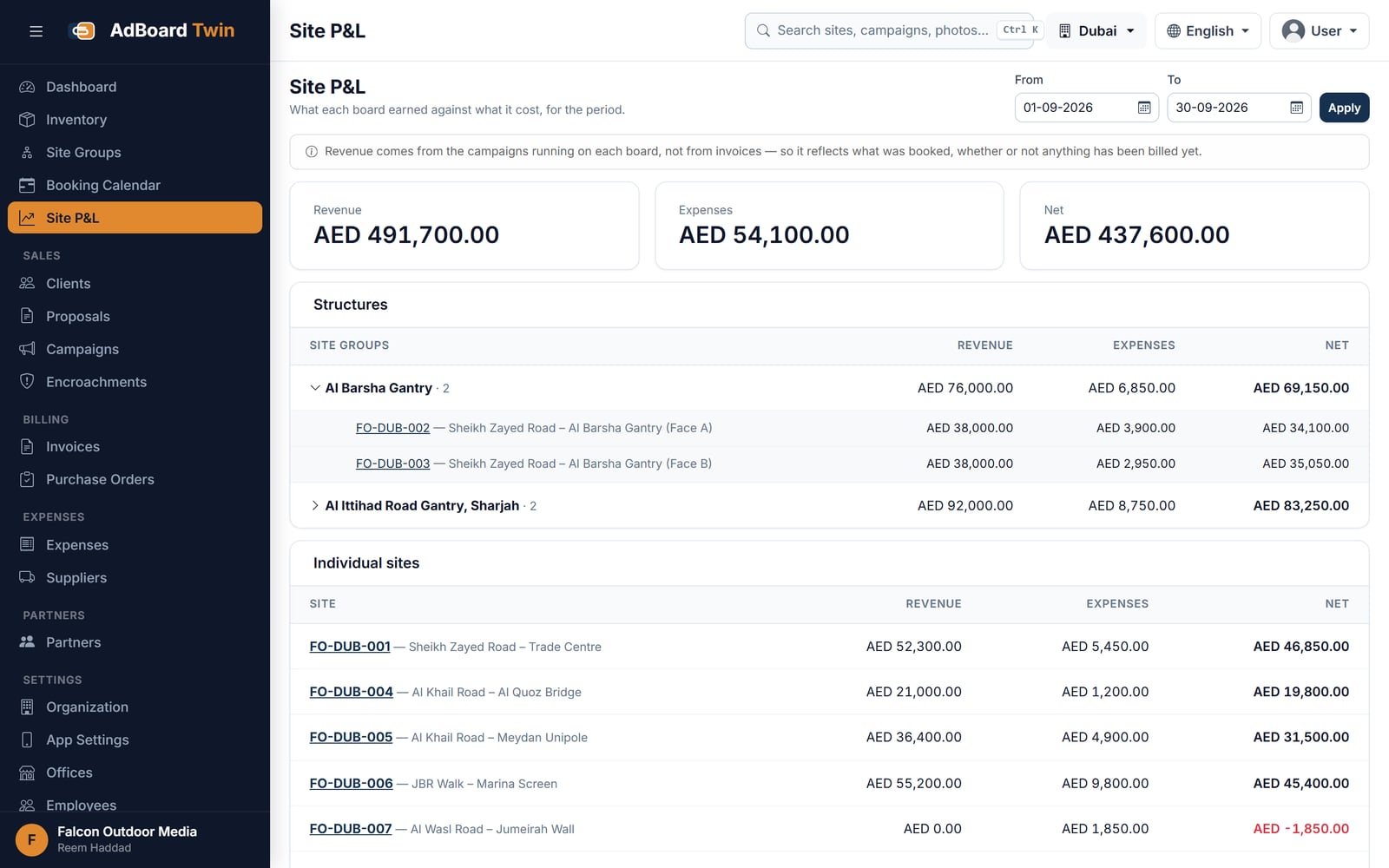
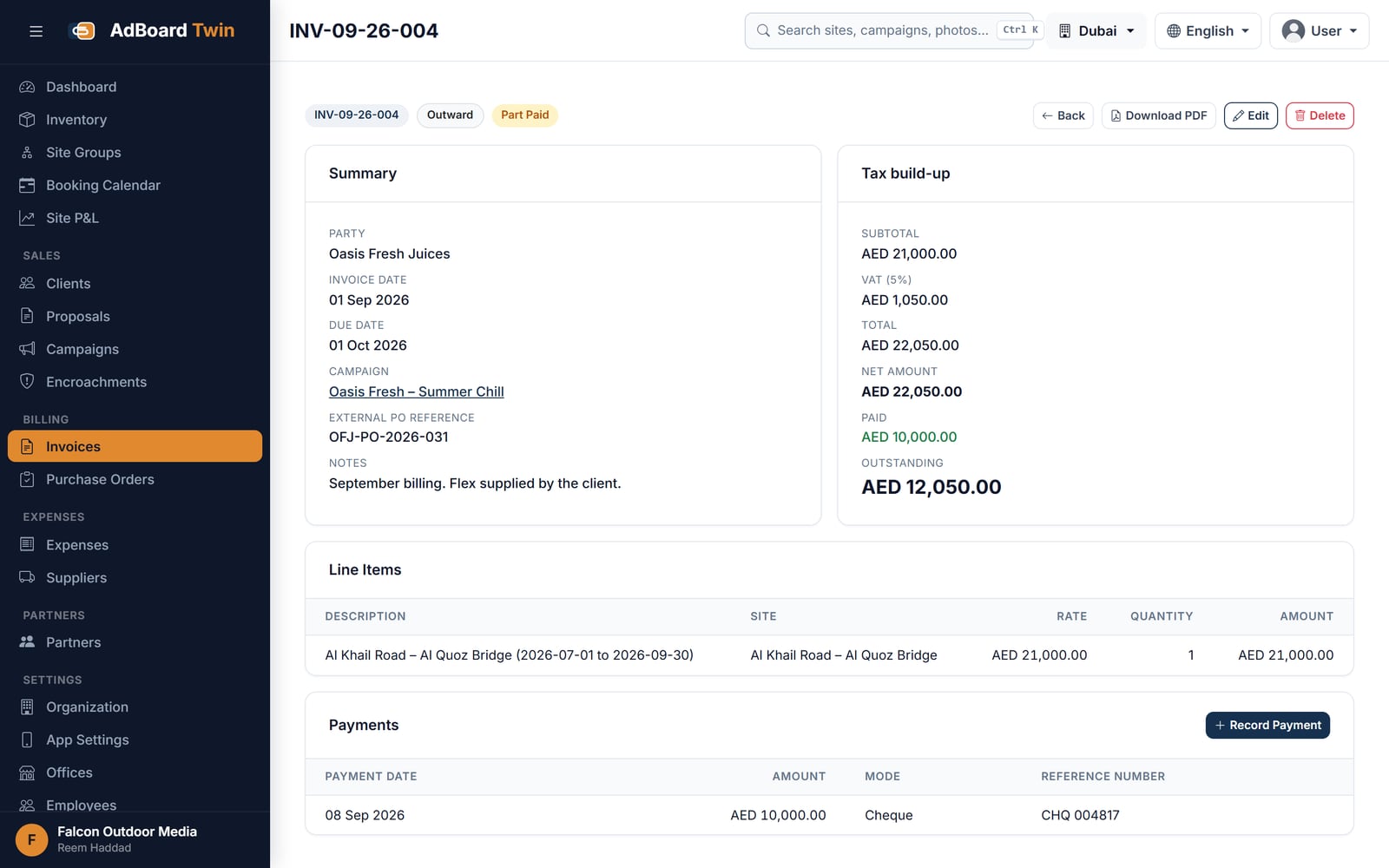
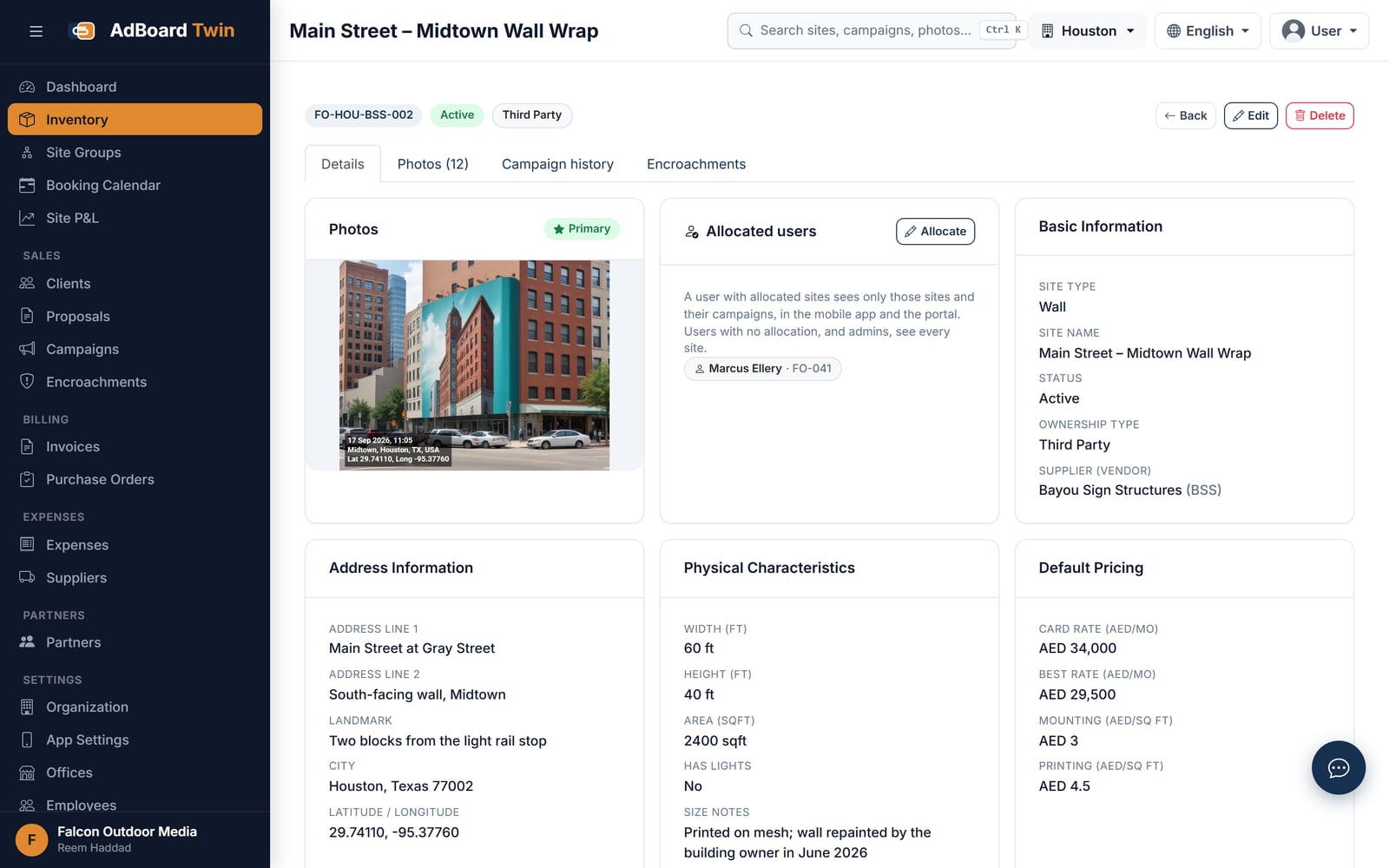
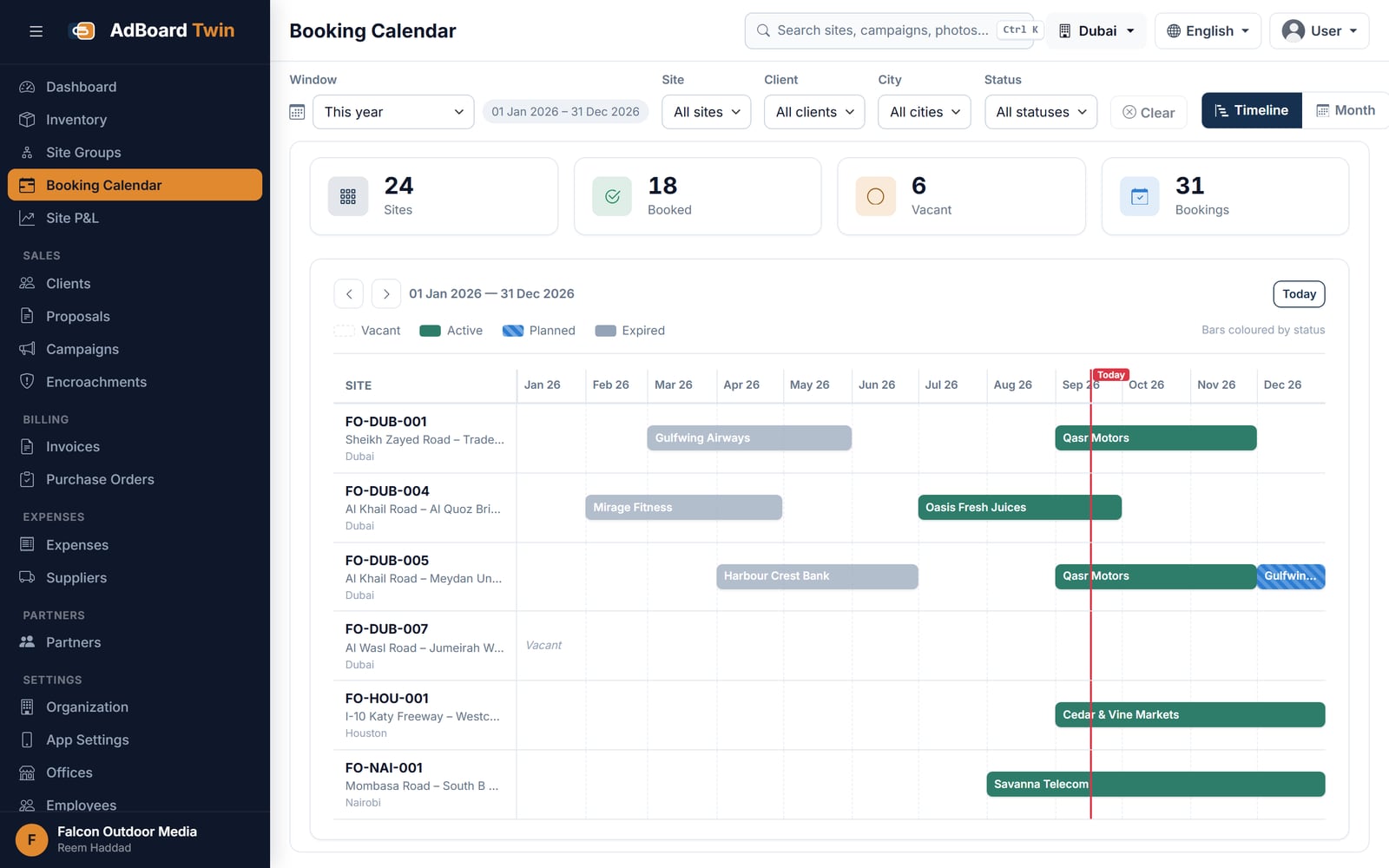
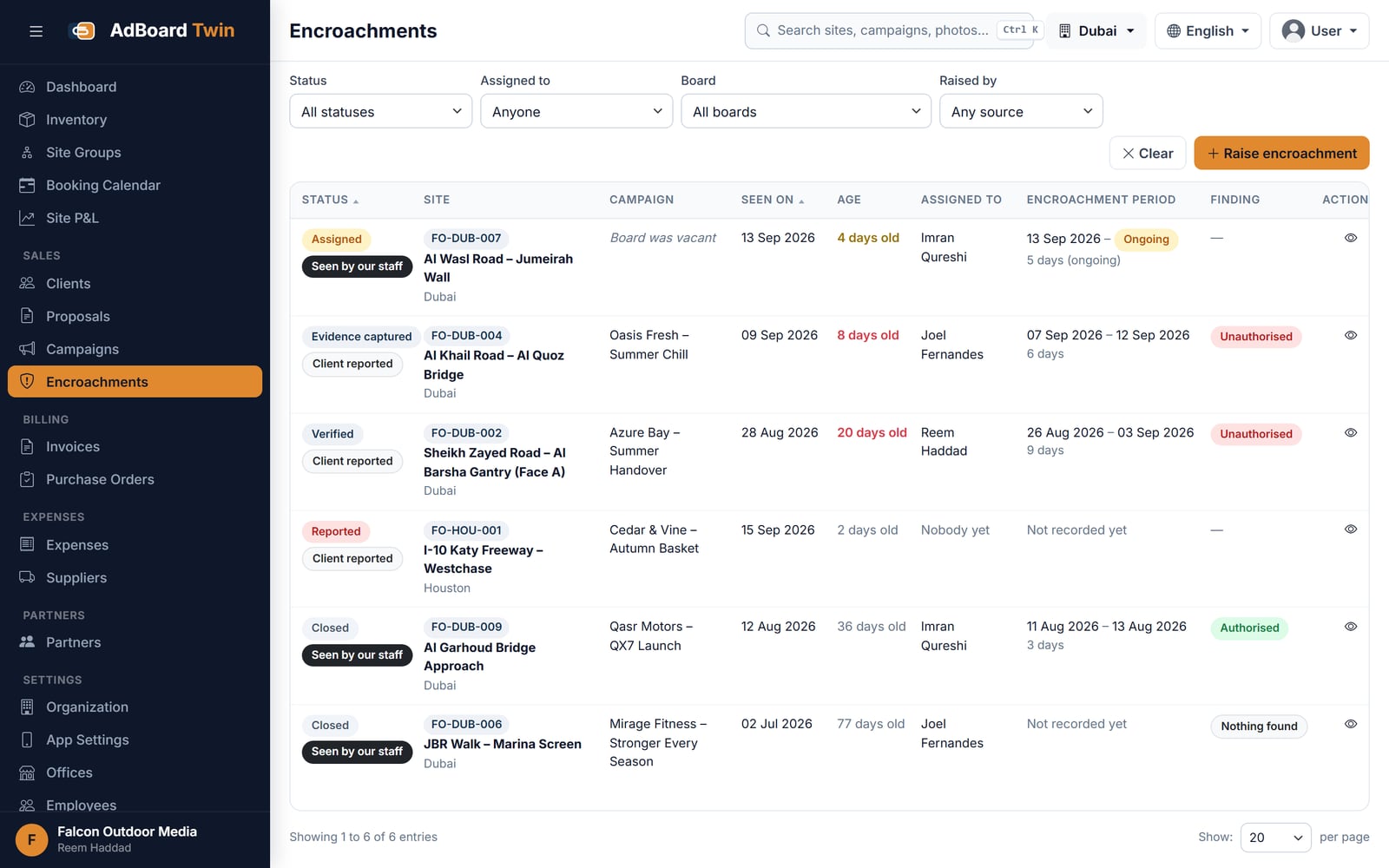
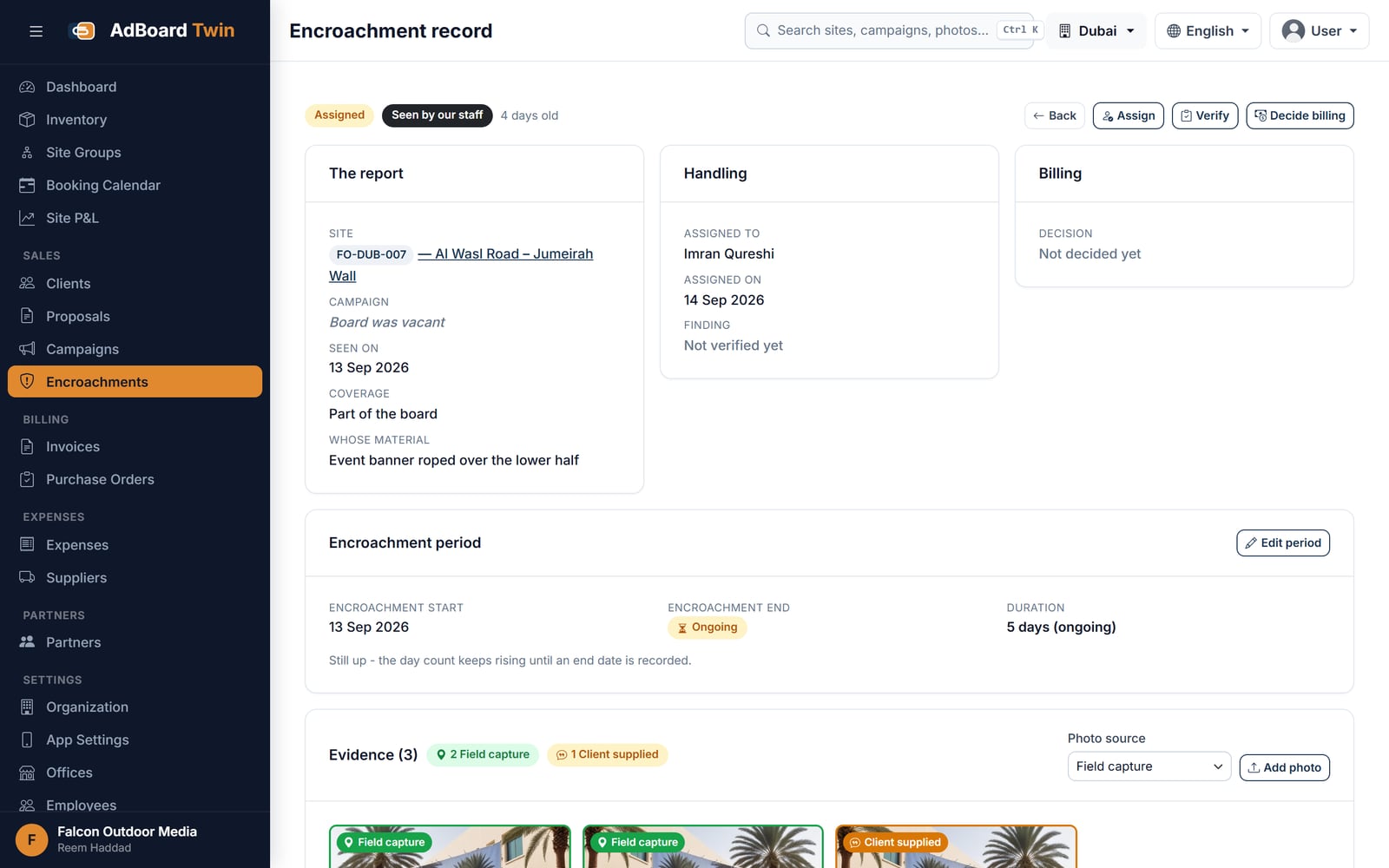
Every screen below is rebuilt from AdBoard's own interface and filled with a demonstration tenant's data. They are not captures of a live customer system.
Tap any picture to open it full size.
You get something made from your own material, within one working day, and no call unless you ask for one.
How many boards you run and how many faces are empty this month. Within one working day we send back what those empty faces cost, worked out for your numbers, and a demo login so you can see the availability board with sample data.
Your enquiry is with the team. We read every one ourselves and normally reply within one working day.
If it is quicker to talk, reach us directly:
While you wait — the platform overview covers what each application does, and Insights is our writing on building this kind of software.
Would rather read than write? See the screens above, or the whole platform — seven applications, each one standing on its own.
Most out-of-home media owners still run on spreadsheets, shared photo folders and message threads. Availability lives in one person’s head, the same face gets promised to two clients, proof photographs sit on a field executive’s phone, and invoices drift out of step with what was actually booked.
Sazinga AdBoard is purpose-built for media owners rather than a general-purpose CRM bent into shape. It takes a structure from vacant to a client proposal, a booked campaign, proof that it ran, and an invoice that gets paid — with one shared calendar underneath so the same face cannot be sold twice.
Four artefacts, usually: a master Excel sheet of sites, a second sheet of who is booked where, a
PowerPoint deck rebuilt by hand for every enquiry, and a folder of WhatsApp photographs named
IMG_20260812_094411.jpg. Each is maintained by a different person, and none of them can be
asked a question.
The system replaces all four with one set of records, and the client-facing documents are generated from those records rather than typed alongside them.
Availability is not a status column that somebody remembers to update. It is a query.
Every campaign line — a specific site, for a specific date window, at a specific rate — is its own row, and a new booking is tested against those rows with an interval-overlap check: an existing line blocks a new one when its start date is on or before the new end date and its end date is on or after the new start date. The check runs per site, scoped to your organisation, and only counts lines belonging to a campaign that is actually active. A draft, completed or cancelled campaign does not hold inventory hostage.
Digital screens are the exception, and they are handled explicitly rather than fudged. A site carries a slot capacity, and a digital site accepts overlapping bookings up to that number of concurrent slots, with each line recording which slot it occupies. A static hoarding has a capacity of one, and one is enforced.
The same check runs when a proposal line is priced, again when the proposal is converted to a campaign, and again when a single line is created or edited. A booking that was safe when it was quoted is re-tested before it is committed, because the intervening fortnight is exactly when somebody else sold it.
A hoarding is not a row in a list. It is a structure with dimensions, a direction, a lighting condition and an ownership arrangement, and each of those changes what you can sell and what it is worth.
The end rate on a campaign line is built rather than typed: base rate plus mounting charge, plus the printing charge unless printing is being handled by the client, rounded to paise. That figure is deliberately pre-tax. Nothing folds GST into a line rate, because a rate with tax already inside it cannot be re-taxed correctly when the invoice is raised under a different registration.
Tax is applied once, at the invoice: GST on the subtotal, TDS calculated on the subtotal rather than the taxed total, and a net amount that is what you should actually expect in the bank. An organisation with more than one GST registration issues under the right one, on the invoice.
Agency commission is not a discount on the client’s invoice. It is a separate downstream payout, computed from the billing attributed to that agent for a period, at the commission rate held against them and snapshotted at the moment of computation — so a rate change next quarter does not silently rewrite last quarter’s payout. Monthly commission and a year-end bonus are separate entries against the same agent.
Generating an invoice from a campaign requires two permissions at once, not one. Someone who may create and edit campaigns cannot, by that fact alone, bill them.
Proof of display is the photograph that shows the client’s artwork was up, on the right structure, on the right date. AdBoard treats it as a categorised record rather than an attachment: each photograph is filed as installation, mid-campaign monitoring, night, end-of-campaign or uninstallation, against the campaign it belongs to, carrying the coordinates and the time it was taken.
Location permission is requested before the position is read, not after, which sounds like housekeeping and is the difference between a geotagged proof set and several hundred photographs with no location on them at all.
The field app writes to disk first and goes to the network second. A capture is persisted to the device queue before any upload is attempted, so an app that is killed on the way back from the site has lost nothing.
The queue then drains one item at a time rather than in parallel, on the reasoning that a weak connection is a thin pipe and parallel uploads only compete for it. Each photograph tracks its own two states — uploaded, and attached to the record — and both are written to disk the instant the server confirms them, so a partial failure resumes where it stopped instead of re-sending everything. Failed items re-arm themselves up to five times when the app next comes to the foreground, and an item is marked done only when the device can prove from its own stored state that every photograph in it is attached. Not when a call failed to throw.
Where a report has been captured with no record on the server to attach it to, the record is created first and its identifier written to disk immediately, so a retry never creates it twice.
Access is built from 78 individual permissions, held as a registry in code rather than as rows somebody can edit into an inconsistent state. Roles are made by selecting from those permissions, a user’s effective access is the union of the roles they hold in the organisation they are working in, and six system roles ship as sensible starting points.
The built-in assistant resolves its permissions through the same engine that guards the REST API, and the tools it is even shown are filtered by that result. It cannot answer a question about records the person asking is not allowed to open.
It is not digital signage software. It does not push content to a screen, schedule playback or monitor whether a panel is alive. If your problem is getting the right video onto the right LED panel, this is the wrong category — the distinction is worth reading in full before you buy anything.
It is also built for the media owner, not the buyer. There is no agency-side planning, no cross-vendor media buying and no audience measurement or impression modelling. And there is no rate-card entity: default rates live on the site and are overridden per line, which suits negotiated selling and does not suit a business that publishes fixed public tariffs.
The outdoor media industry page covers the operating problems this was built against, and the out-of-home operator case study covers one estate’s move off spreadsheets. For the mechanics, see how it works, the feature detail and the vacancy cost calculator, which puts a number on what empty sites are costing you. Operators who also run vehicles or equipment on hire use the same booking model in Sazinga Rentals.
Swipe for the other screens.


Billboards, unipoles, gantries and digital screens across any number of cities, each with size, lighting, location, photographs and rate card. Availability is calculated from live bookings rather than maintained by hand.
Assemble a multi-site proposal in minutes, then generate a client-ready presentation and a costed spreadsheet in a single click. A won proposal converts straight into a booked campaign.
Track periods, faces and occupancy. Field teams photograph each site on the Android app; photos are geotagged, categorised and filed against the right campaign automatically.
Raise invoices directly from a campaign or purchase order so billing can never disagree with what was booked. Receivables, payables, partner shares and agent commissions in one view.
Each of these is a real problem from a live installation, what it cost, and what changed.
Sazinga AdBoard is outdoor advertising management software for out-of-home media owners. It holds your billboard, unipole, gantry and digital-screen inventory, calculates availability from live bookings, builds client proposals, tracks campaigns with geotagged proof of display, and raises invoices from the campaign they belong to.
Yes. Hoarding is what the structure is called in India and the UK, billboard is what it is called in the United States, and AdBoard treats them as one thing — a structure with dimensions, a direction, lighting, an owner or a lease, and its own booking calendar. The word is ambiguous outside outdoor advertising, because a search for it also returns software for hoarding disorder, for data hoarding and for the plywood barrier around a construction site. If you came looking for one of those, this is not it.
The category has no settled name, which makes it genuinely hard to shop for. Outdoor advertising software, out-of-home or OOH software, outdoor media management software, billboard or hoarding management software, billboard inventory management, billboard booking software and media owner software all describe the same job — holding the structures you own or lease, working out what is free on which dates, pricing a proposal from a rate card, proving the campaign ran, and billing what was booked. AdBoard is that. The names that do not describe it are digital signage software, which drives the content on a screen rather than the business that owns it, and a general CRM, which has never heard of a face, a hold or an agency commission.
Out-of-home media owners and operators who own or lease advertising structures, rather than agencies buying media. It suits operators running anything from a handful of sites in one city to hundreds across several states.
Every booking writes to one shared calendar, and availability is calculated from live bookings rather than maintained by hand. A face already booked for a period cannot be sold again for that period.
Yes. Field teams photograph each site on the Android app. Photographs are geotagged, categorised and filed against the right campaign automatically. With no signal on site, the photo queues on the phone and uploads itself when the signal returns.
Yes. Invoices are raised directly from a campaign or purchase order, so billing cannot disagree with what was booked. It tracks receivables, payables, expenses, partner shares and agent commissions, and flags overdue invoices on the dashboard.
Yes. The demo runs on a sample outdoor media company, so you can click through bookings, proposals and invoices without touching your own data. It asks for your name, company and email and sends a sign-in code to that address — there is no card and no sales call in the way, but it is not anonymous.