Let's talk

Sazinga AdBoard

Everything an out-of-home business runs on

Purpose-built for media owners, not a general-purpose CRM bent into shape. Faces, mounting charges, occupancy windows, proof-of-display decks, partner shares and agent commissions are concepts the software already has.

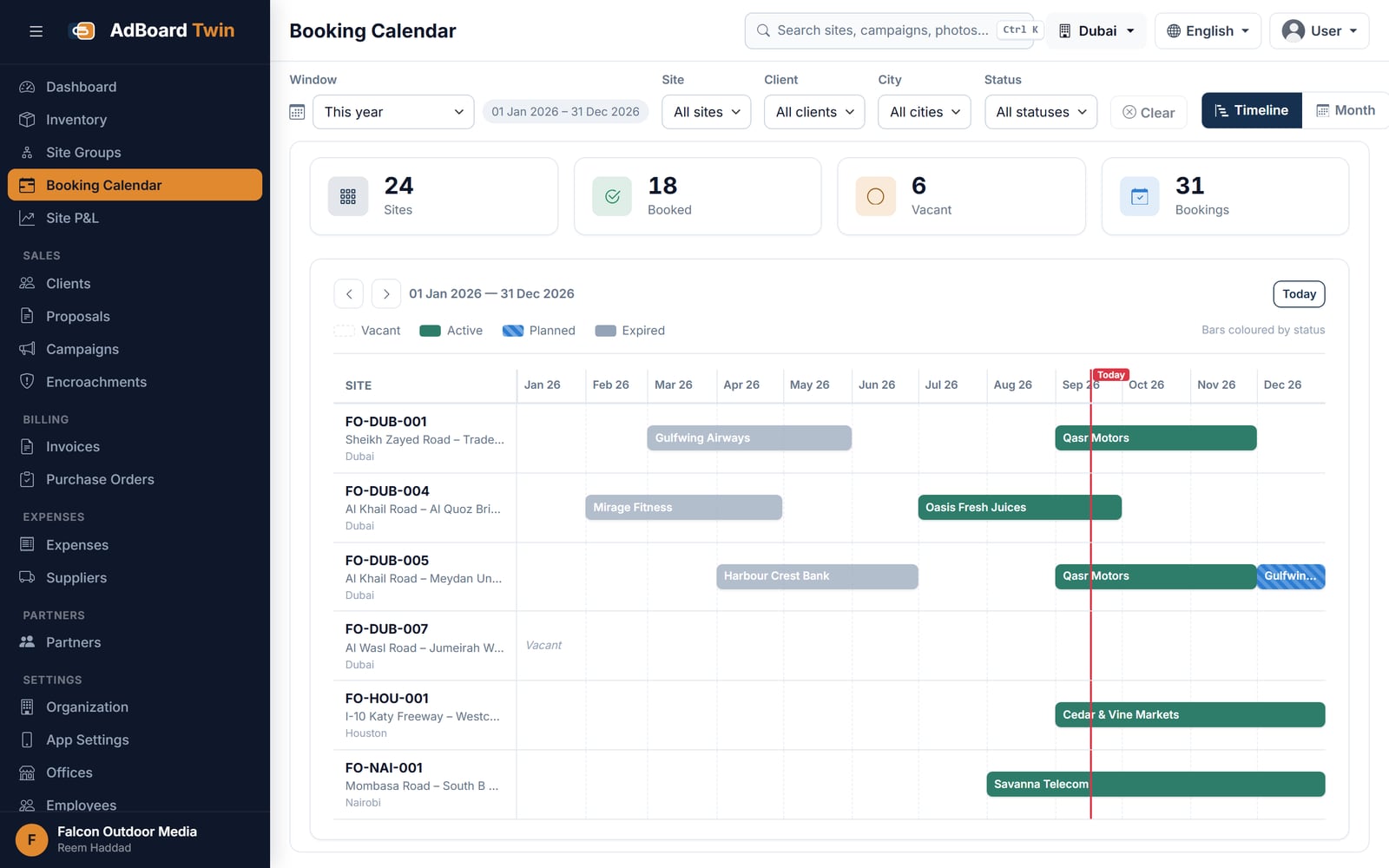
Sites and availability

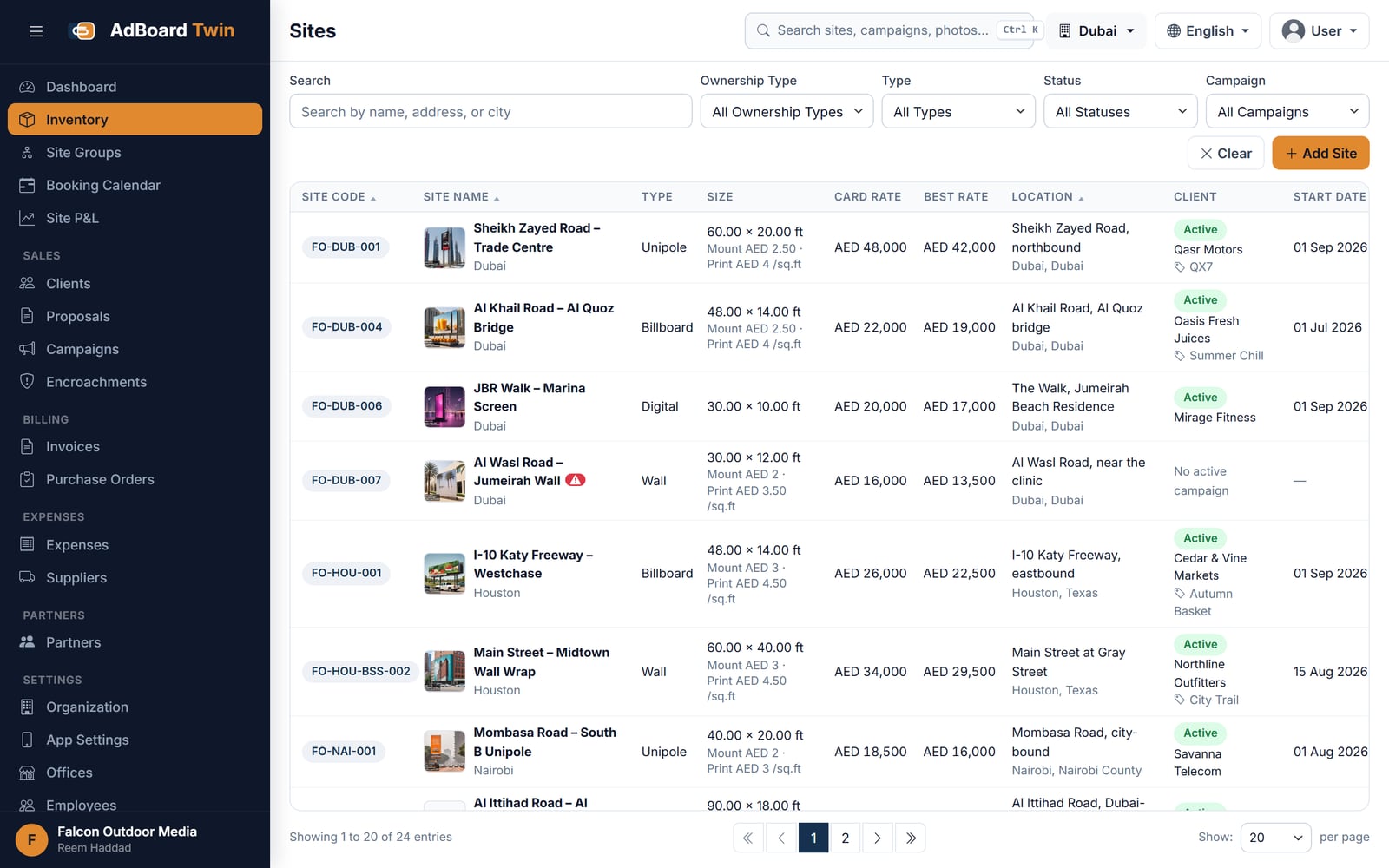
Every structure you own or lease, with availability worked out for you.

  • Billboards, unipoles, gantries and digital screens across any number of cities.
  • Each carries its photographs, size, lighting, GPS position and rate card.
  • Multiple faces per structure, each bookable on its own.
  • Vacant, booked, or free from a date — calculated from live bookings, never typed in.
  • One shared booking calendar across the whole business, so the same face cannot be sold twice.
  • A hold has an expiry: when it passes, the site opens again by itself.
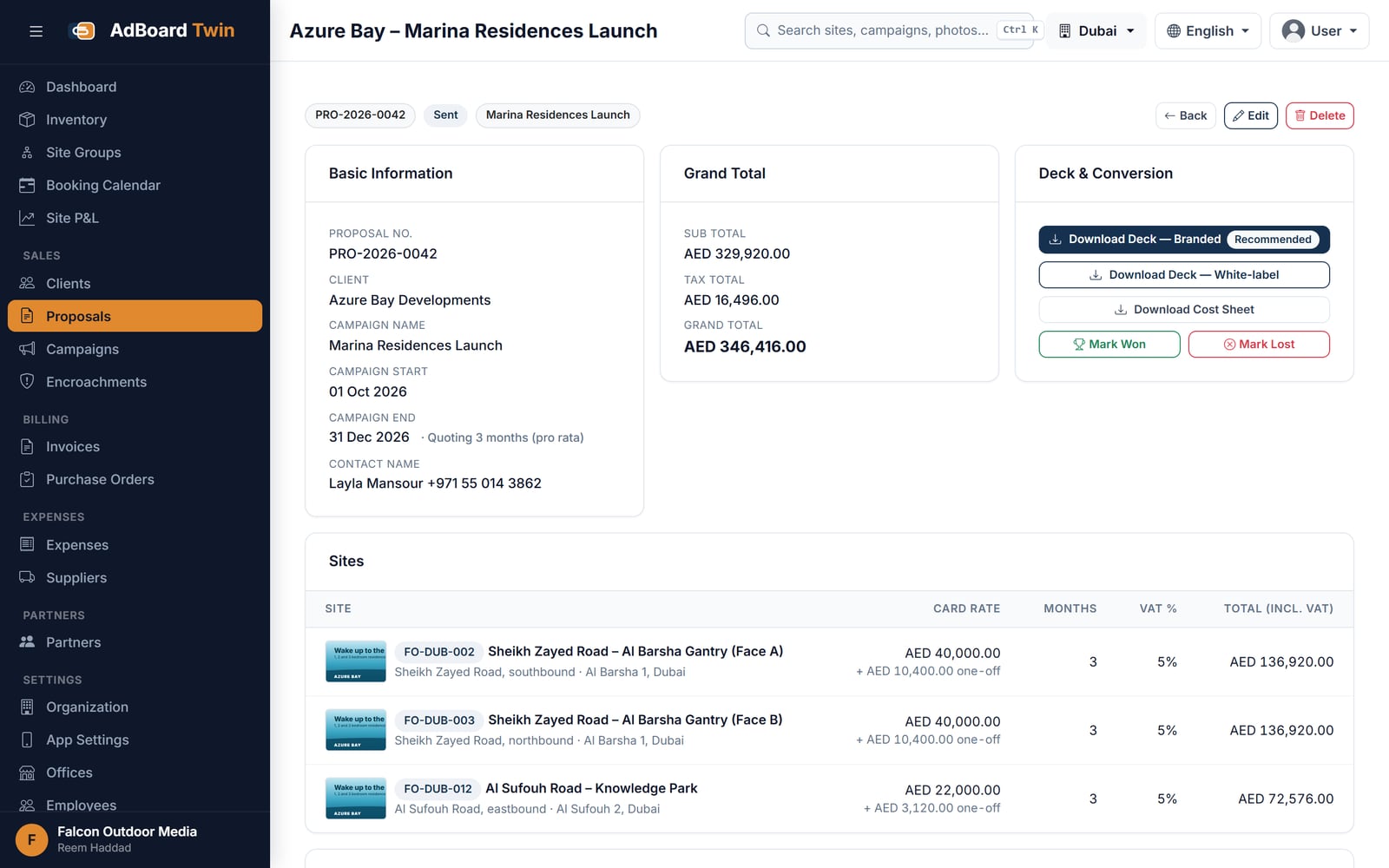
Proposals and instant decks

A multi-site proposal in minutes, and the file to send with it.

  • Pick the sites, set the rates — mounting, printing and GST carry through to the total.
  • One click produces a client-ready presentation and a full Excel cost sheet.
  • Both come from the same figures, so the deck and the costing cannot drift apart.
  • Choose which of a site’s photographs appear against each line.
  • A won proposal converts straight into a booked campaign — nothing is re-entered.
  • Agent commission is attached to the deal rather than worked out afterwards.

Campaigns and proof of display

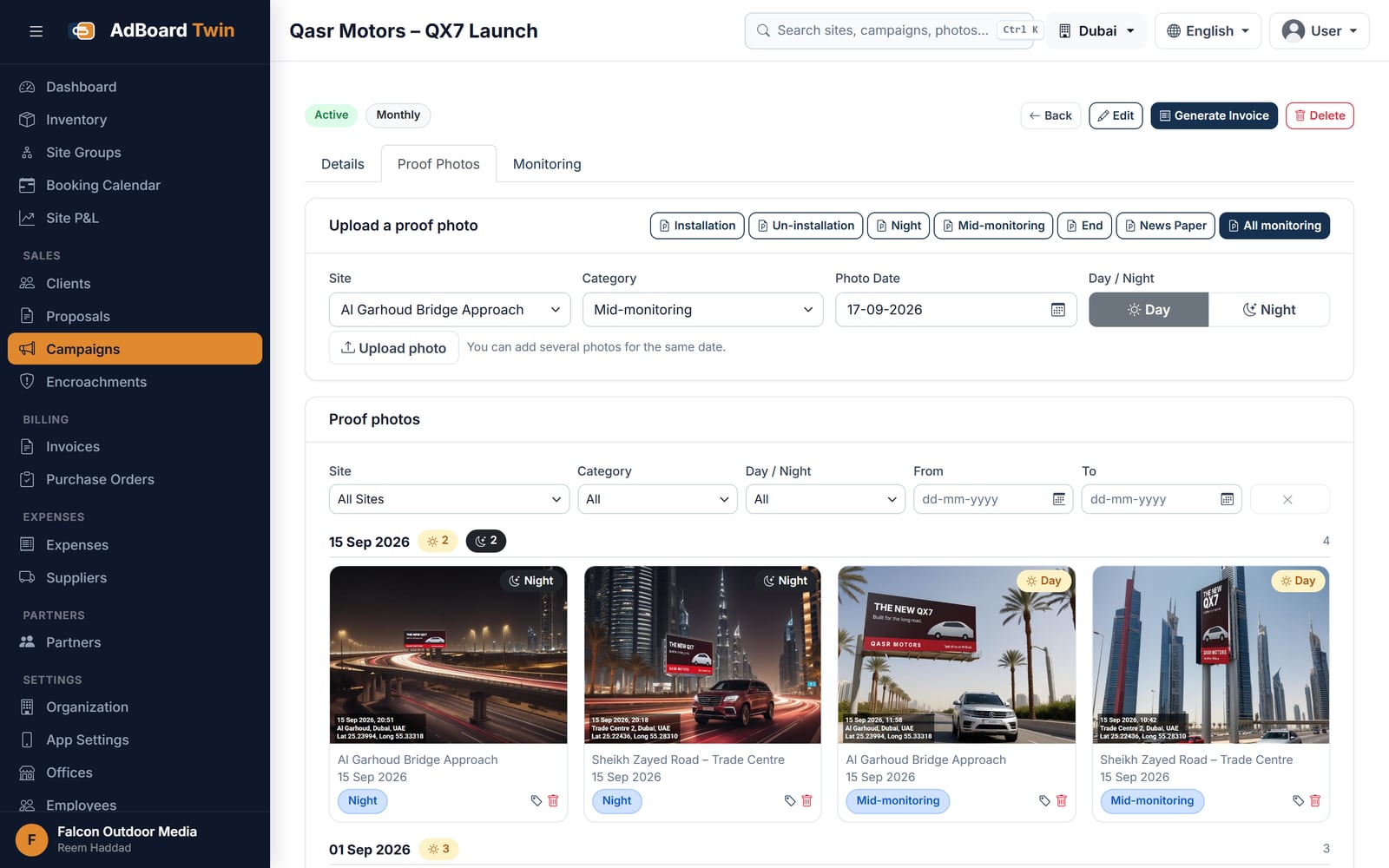
Evidence the campaign ran, without hunting through a chat thread.

  • Periods, faces and occupancy tracked per campaign.
  • Field staff photograph each site on the Android app; the photo attaches itself to the right campaign.
  • Each photograph is geotagged, timestamped and categorised as installation, monitoring, day or night.
  • No signal on site? Photos queue on the phone and upload themselves when it returns.
  • Per-site completeness is visible while the campaign runs, not discovered at the end.
  • A proof deck for the client is generated from the gallery.

Invoicing, payments and receivables

Bills that cannot disagree with what was booked.

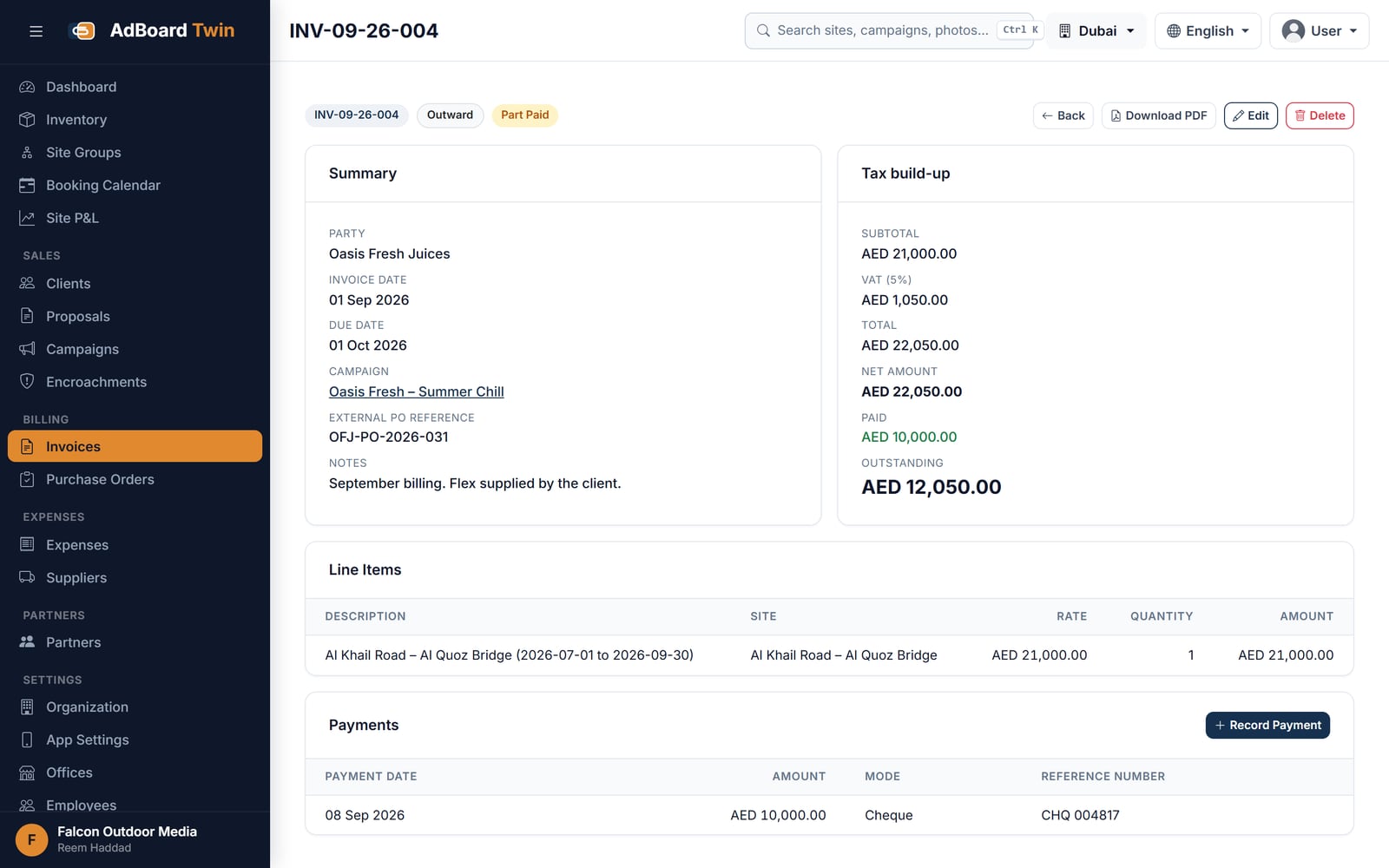
  • Invoices raised directly from a campaign or a purchase order.
  • Site, dates, rate and GST carried through rather than re-typed.
  • Payments recorded against the invoice, with part-payments and balances tracked.
  • Receivables by client, and what is overdue, on one screen.
  • Purchase orders, supplier bills and expense approvals on the paying-out side.

Partners, agents and projects

The parts of an out-of-home business a general CRM has never heard of.

  • Structures owned with a partner, with each side’s share worked out per project.
  • Agent commission computed from the booking, approved, then paid — with TDS where it applies.
  • Investment share per project and a settlement each side can confirm.
  • Suppliers for printing, mounting and electrical work, with an approval step before payment.
  • Offices, so a branch sees its own city rather than everybody’s.

Roles, access and audit

Who can see what, and a record of who changed it.

  • Build your own roles from 78 individual permissions across 19 modules.
  • Scope people to an office so they see their own city’s inventory and bookings.
  • A full audit trail of who changed what and when, rates and bookings included.
  • Your own tenant, separated from every other business on the platform.
  • Interface in English and Hindi, so the office and the field need not work in one language.

Built-in assistant

Ask about your own data in plain language.

  • Answers questions about sites, bookings and money from live data.
  • Can draft a proposal, a site or an expense for you to confirm.
  • Always operates inside the asking user’s own permissions.

Every module reads the same record

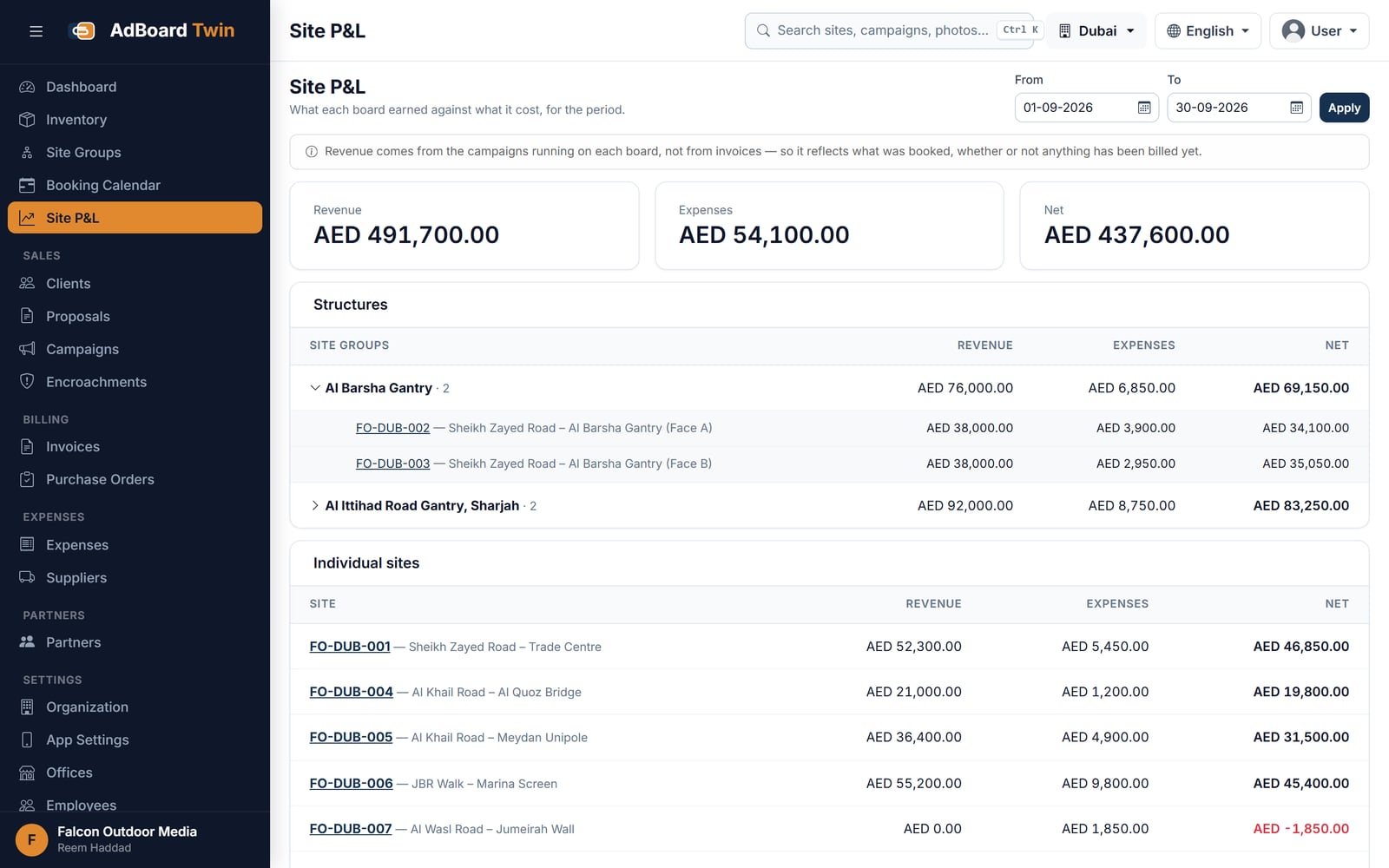
The invoice knows the rate because the campaign knows it, and the campaign knows it because the proposal did. That is the whole design, and it is why the features below are one product rather than seven. The workflow page follows a single site from vacant to paid, and outdoor media sets out where this fits in the trade.

Frequently asked questions

Is this a CRM with an outdoor advertising module bolted on?

No. Faces, occupancy windows, mounting and printing charges, proof-of-display decks, partner shares and agent commissions are concepts Sazinga AdBoard already has, rather than custom fields you invent inside a general-purpose CRM and then maintain forever.

How is site availability worked out?

Nobody maintains a free-or-booked column. Availability is what is left after the confirmed bookings on that face, on one calendar the whole business shares. A hold carries an expiry, so when it lapses the site opens again on its own.

What does the field team actually have to do?

Reach the site and take the photograph. Place, date, campaign and category — installation, monitoring, day or night — attach themselves on the Android app. With no signal the photo queues on the phone and uploads itself when the signal returns.

Can I stop a branch office seeing the whole business?

Yes. Roles are built from 78 individual permissions across 19 modules, and people can be scoped to an office so they see their own city’s inventory and bookings rather than everybody’s. Every change, rates and bookings included, is recorded in an audit trail.

Does the proposal deck match the cost sheet?

They are generated from the same figures in the same action — a client-ready presentation and a full Excel cost sheet — so the deck and the costing cannot drift apart. Winning the proposal converts it into a booked campaign without anything being re-entered.

Ready to see AdBoard on your own numbers?

Every site, every booking, every invoice — in one place