
One record, handed forward
Every arrow below is a place where something is re-typed today, and every re-typing is a place the numbers can drift. Nothing downstream is entered twice.
-
Register the structure once
Every billboard, unipole, gantry and digital screen is entered with its size, lighting, GPS position, photographs and rate card. A structure can carry several faces, each bookable on its own. This is the only time anything about the site is typed in.
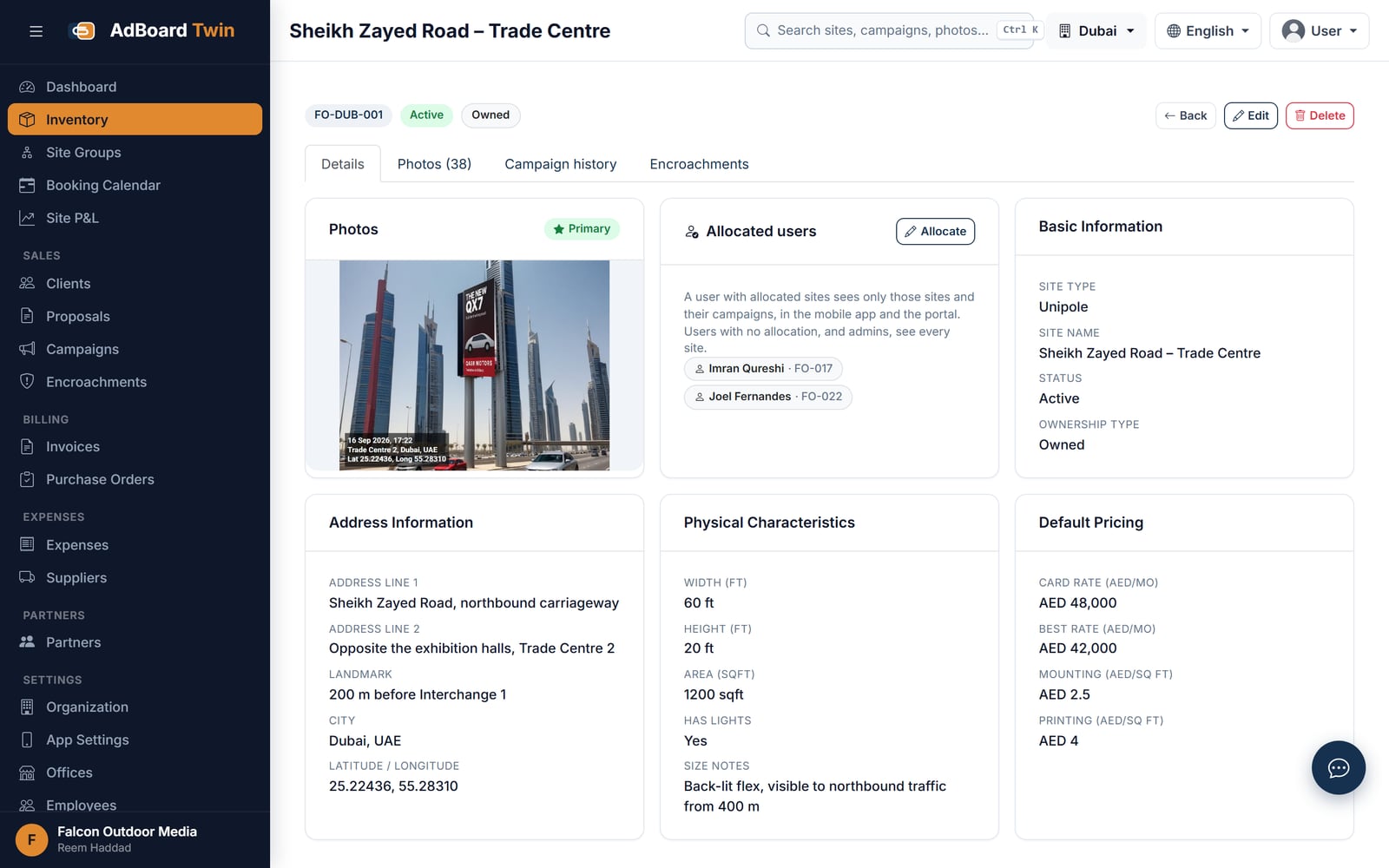
One structure: photo, allocated field staff, location, size, lighting and default rates -
Let availability calculate itself
Nobody maintains a free-or-booked column. Availability is what is left after the confirmed bookings on that face, on one calendar the whole business shares. That is what stops the same face being sold twice, and what surfaces a site before it falls vacant rather than after.
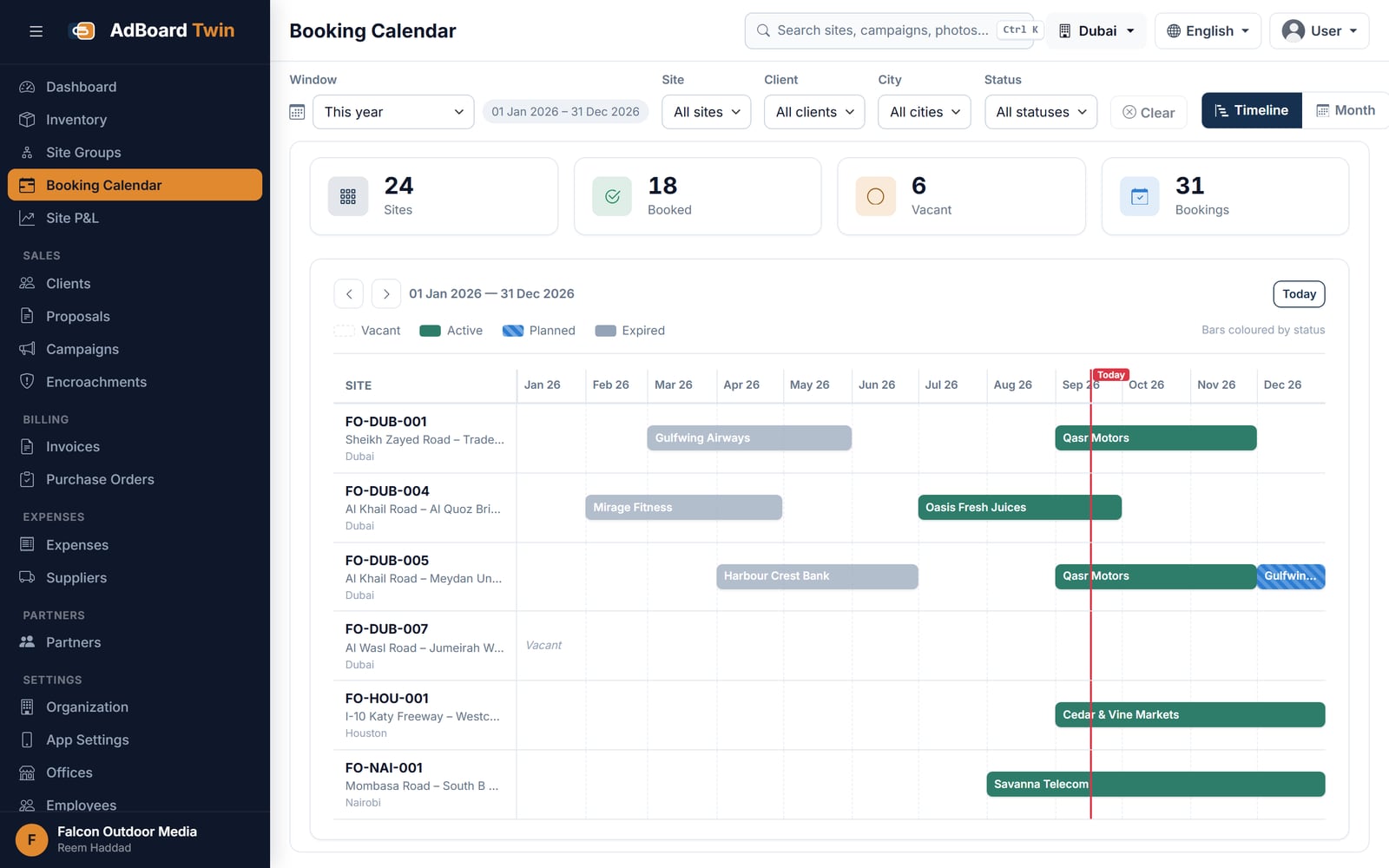
Every board on one timeline: what is booked, what is planned and where the gaps are -
Build the proposal
Pick the sites, set the rates, and mounting, printing and GST carry through to the total. Choose which photographs appear against each line. One click produces a client-ready presentation and a full Excel cost sheet from the same figures.
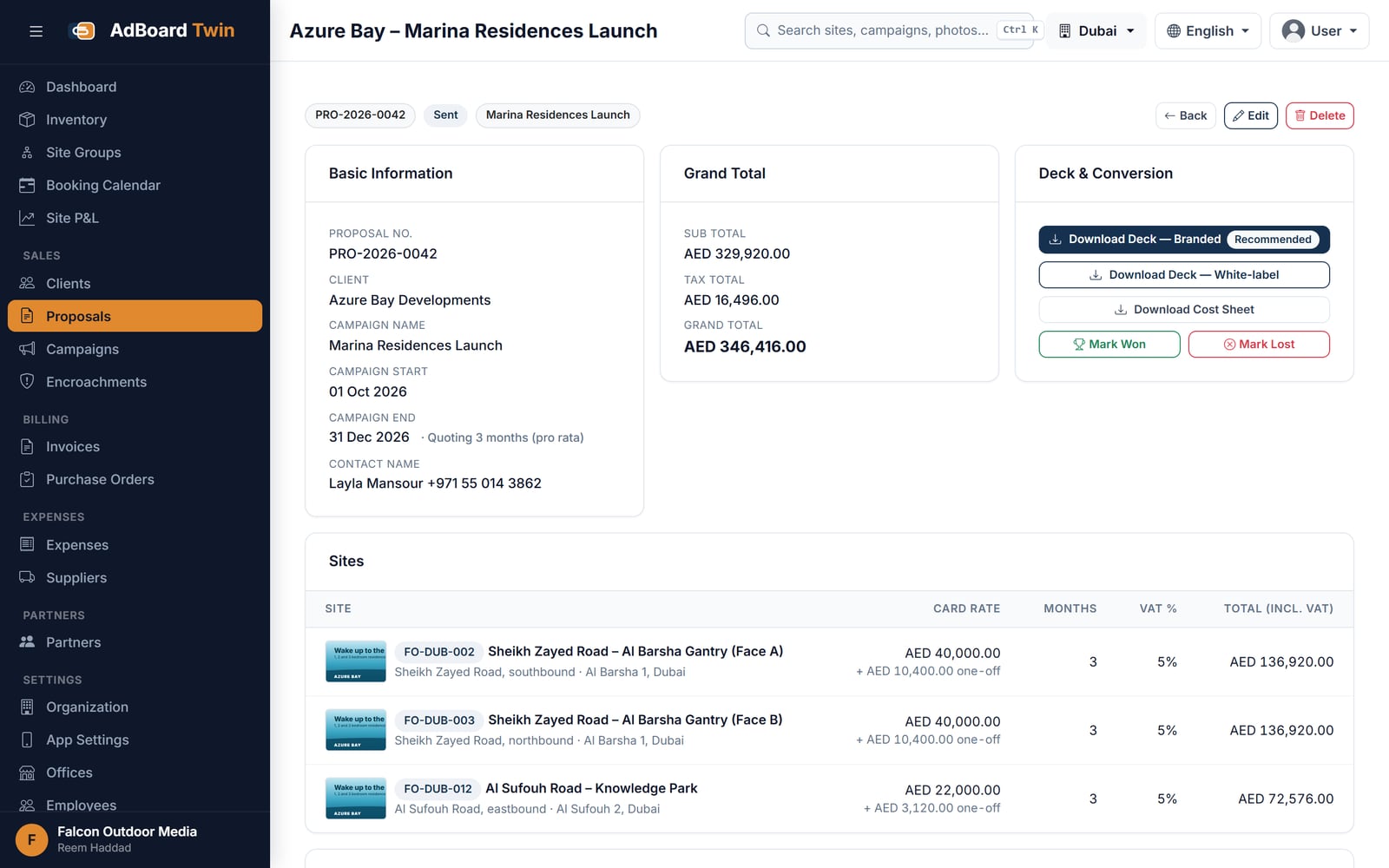
A multi-site proposal priced by month with VAT, ready to download as a deck or cost sheet -
Convert the won proposal into a campaign
A proposal marked won becomes a booked campaign with its periods, faces and occupancy already set. Nothing is re-entered, so the campaign cannot disagree with what the client accepted.
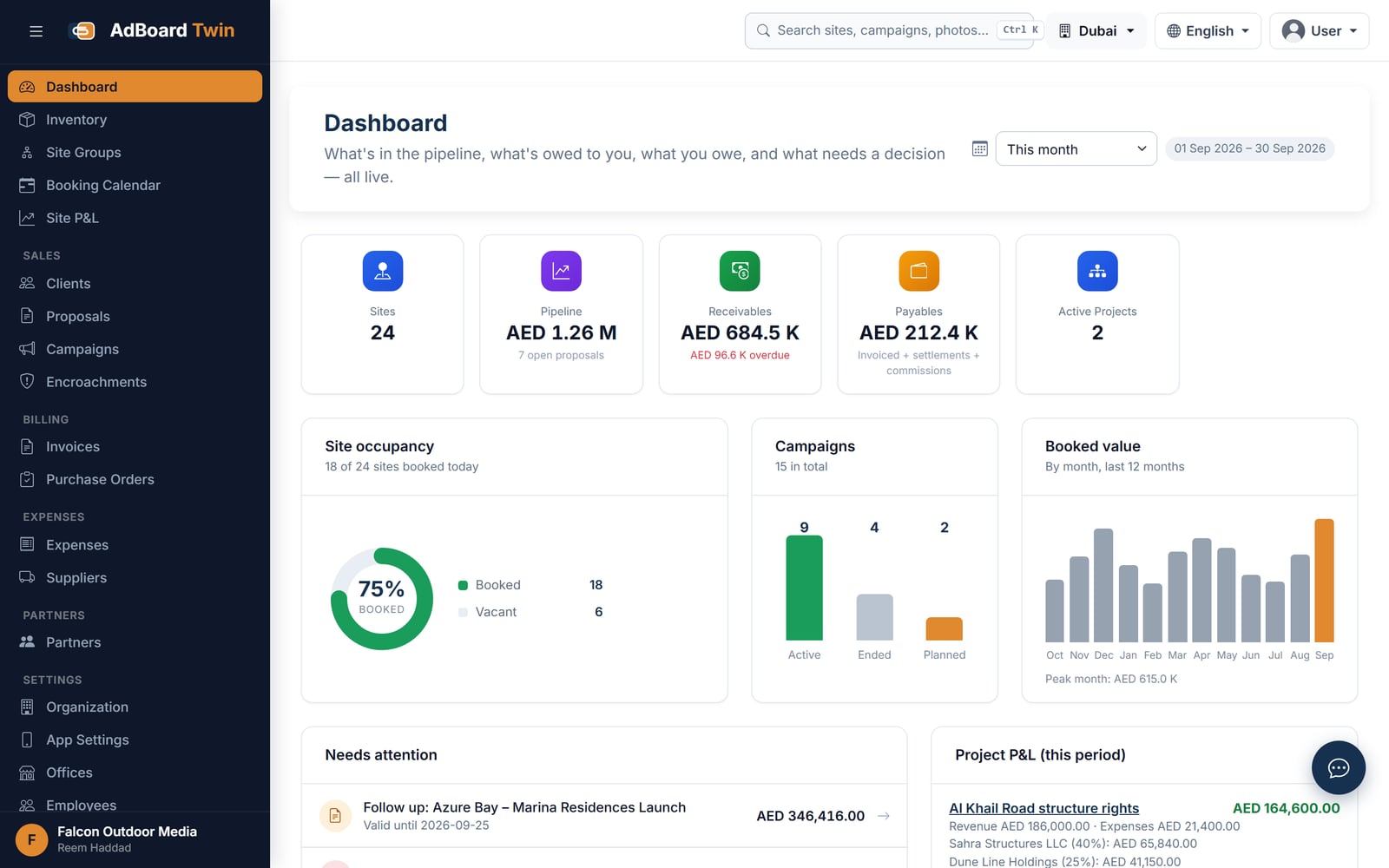
Occupancy, pipeline, receivables and items needing a decision, calculated from live records -
Capture proof from the field
Your man reaches the site and takes the photograph — that is his whole job. Place, date, campaign and category attach themselves. With no signal the photo queues on the phone and uploads itself when the signal returns.
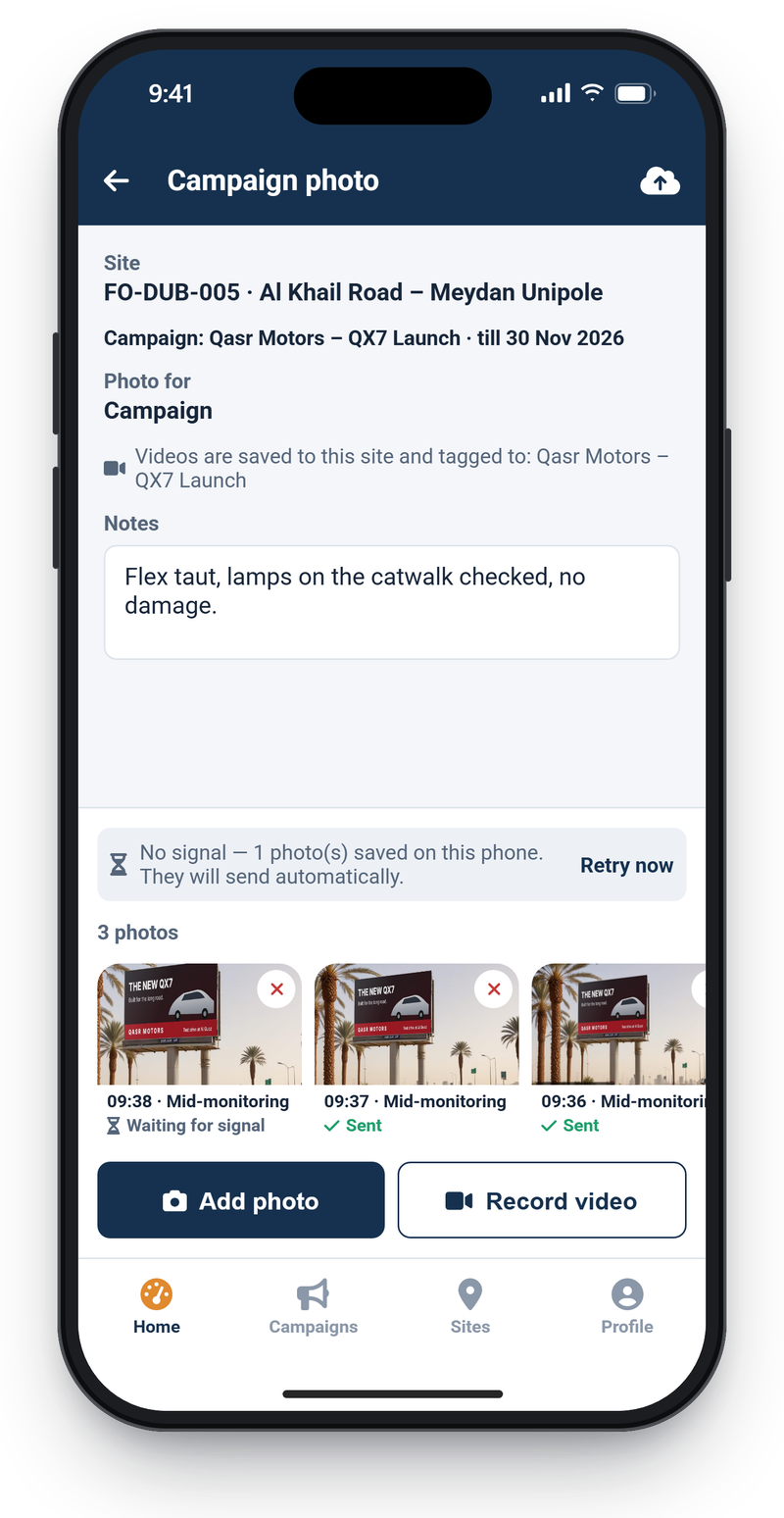
Each shot is stamped with time and coordinates and sent as soon as it is taken, or held until signal returns -
Raise the invoice from the booking
The invoice is generated from the campaign or the purchase order, carrying site, dates, rate and GST through. Because the bill and the booking are the same record, there is nothing for the client’s accountant to disagree with. Record payments and watch receivables.
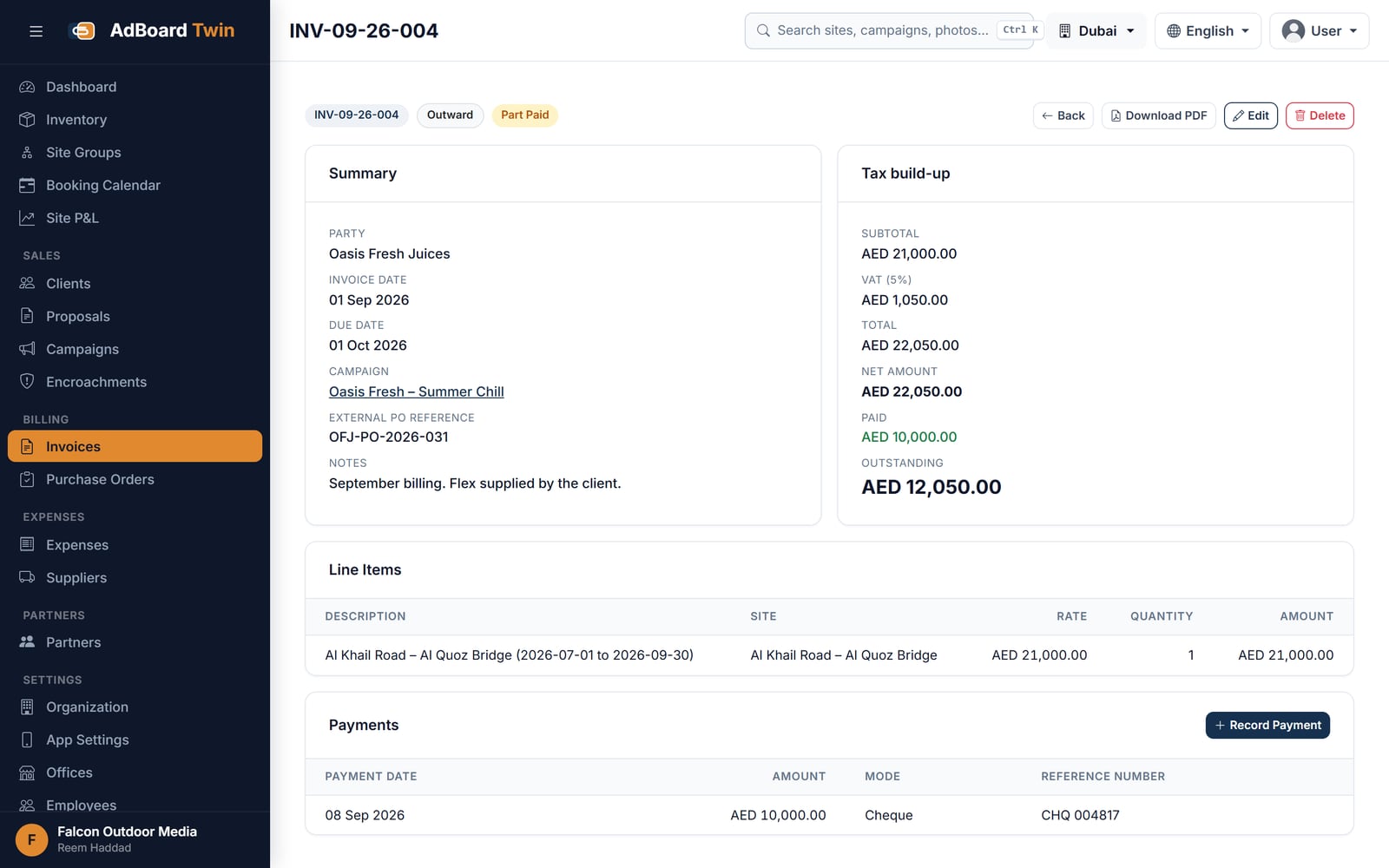
An invoice generated from its campaign, with VAT and the payments recorded against it
Why this order matters
Most outdoor businesses do all six of these things already. They do them in six different places — a spreadsheet, a phone gallery, a message thread, a bill book — and the cost is not the effort of keeping them in step. It is the days a site sits empty because nobody saw the campaign end, and the payments that freeze because the period on the bill is not the period on the purchase order.
The vacancy cost calculator puts a figure on the first half of that. Features sets out what each step is made of, and outdoor media describes the trade this was built for.
Frequently asked questions
How long does it take to get a site through the whole chain?
The typing is the short part. A structure is registered once, and from then on a proposal is a matter of picking sites and rates; the won proposal becomes a campaign, the field photographs become the proof, and the invoice is generated from the booking. Nothing downstream is entered twice.
What has to be re-typed between the proposal and the invoice?
Nothing. The invoice knows the rate because the campaign knows it, and the campaign knows it because the proposal did. Site, dates, rate and GST are carried forward rather than re-keyed, which is what removes the disagreements that hold up payment.
Do we have to change how the field team works?
They take the photograph, as they do today. What changes is where it lands: place, date, campaign and category attach themselves on the Android app, so the photo files itself against the right campaign instead of sitting in a phone gallery or a message thread.
We already do all six of these things. What actually changes?
Most outdoor businesses do them in six different places — a spreadsheet, a phone gallery, a message thread, a bill book. The cost is not the effort of keeping those in step. It is the days a site sits empty because nobody saw a campaign end, and the payments that freeze because the period on the bill is not the period on the purchase order.
Ready to see AdBoard on your own numbers?
Every site, every booking, every invoice — in one place. Tell us how it runs where you are — what is kept by hand, what arrives late, and what it costs when it goes wrong — and we will answer against your own figures rather than against the how it works page you have just read.
Thank you — that has reached us
Your enquiry is with the team. We read every one ourselves and normally reply within one working day.
If it is quicker to talk, reach us directly:
While you wait — the platform overview covers what each application does, and Insights is our writing on building this kind of software.
Would rather read than write? See the screens — real captured ones, no sign-in.